
Quick project answer
Coordinating a university movable partition track projector layout begins with the overhead path. A top-hung partition carries its panels from a track above, so the ceiling zone becomes a shared planning area. Projectors, suspension points, lighting, and service routes all occupy that same zone. Early coordination keeps the partition path and the ceiling equipment layout compatible before drawings are approved.
The exact route, junction arrangement, continuous overhead path and parking position must be confirmed from the coordinated project drawings.
Understanding the Top-Hung Principle
The EBUNGE movable partition system is top-hung. Panels are supported from an overhead track rather than from a floor guide. This principle shapes how a university movable partition track projector plan is developed. The overhead path must be studied together with the ceiling layout, because both use the same upper zone.

A top-hung arrangement allows the finished floor along the partition line to remain physically uninterrupted. No continuous floor running track or operating hardware is installed in the finished floor. The floor is not cut or damaged for a floor track. This is a confirmed characteristic of the maintained EBUNGE top-hung system.
For a university movable partition track projector project, the overhead path and the projector positions should be shown on the same coordinated drawing. The drawing set can then be reviewed by the project team before any approval step. The exact route, junction arrangement, continuous overhead path and parking position must be confirmed from the coordinated project drawings.
Keeping the Finished Floor Physically Uninterrupted
A physically uninterrupted floor is a practical benefit in teaching and event spaces. With the EBUNGE top-hung system, the floor along the partition line is not cut for a track. There is no continuous floor running track or operating hardware in the finished floor. The floor surface remains continuous across the partition line.
This matters when a university movable partition track projector layout crosses a room used for lectures, examinations, or gatherings. Floor finishes can run through without a track cut. The partition line does not introduce a floor-mounted channel. The exact route, junction arrangement, continuous overhead path and parking position must be confirmed from the coordinated project drawings.
Floor continuity should still be described accurately in project documents. The confirmed fact is that the maintained EBUNGE top-hung system does not require a floor track. Other trades and finishes remain subject to their own coordinated drawings.
Planning Parking and Stacking Areas
Panel parking style can be customized to the customer layout and project requirements, subject to coordinated drawings. A suitable approved parking arrangement can use the stacking area more compactly and coordinate with the space design. The parking position is part of the overhead path study for a university movable partition track projector layout.
Parking planning should consider how the stacked panels relate to the ceiling equipment zone. Projector positions, suspension points, and service routes may influence where the parking area is placed. The exact track, support and panel layout still require project drawings. The exact route, junction arrangement, continuous overhead path and parking position must be confirmed from the coordinated project drawings.
A compact stacking area can help the room layout, but the approved arrangement depends on the drawings. No universal parking solution applies to every university movable partition track projector project. The project team should review the coordinated set before approval.
Coordinating Finish and Care with Ceiling Equipment
Finish materials can be customized, and cleaning and maintenance methods vary with the selected finish. This confirmed fact affects how a university movable partition track projector project is documented. The finish choice should be recorded with the care method that matches it. Cleaning and maintenance instructions are finish-specific.
Ceiling equipment coordination does not change the finish rules. Projectors and their supports are separate from the partition finish. The partition finish and care information should be kept with the coordinated drawings. The exact route, junction arrangement, continuous overhead path and parking position must be confirmed from the coordinated project drawings.
When the finish is selected, the care method should be confirmed for that finish. Cleaning and maintenance methods vary with the selected finish. This is the only confirmed care statement for the EBUNGE movable partition system.
Non-Limiting Applications in University Settings
Movable partitions can be used wherever flexible space division, combination or reconfiguration is required. Application examples are not limiting. In a university context, a movable partition may divide a hall, combine rooms, or reconfigure a teaching space. A university movable partition track projector layout can support these uses when the overhead path is coordinated.
EBUNGE has completed many types of hotel-related movable-partition projects. Ballrooms, wedding halls and multifunction halls are non-limiting examples. No customer names, locations, quantities, ratings, certifications or outcomes may be inferred. The same non-limiting principle applies to university settings.
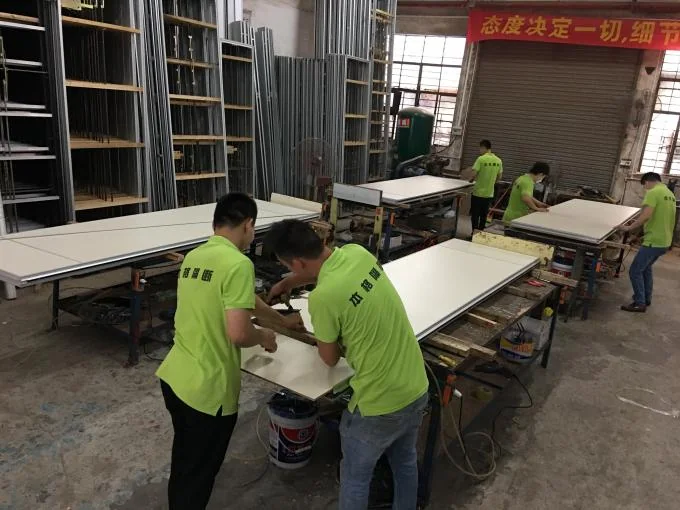
Each university movable partition track projector project should be assessed from its own drawings. The exact route, junction arrangement, continuous overhead path and parking position must be confirmed from the coordinated project drawings.
Buyer Inputs and Drawing Approvals
Buyers should provide the room layout, the intended partition line, and the planned ceiling equipment zones. These inputs help the project team develop a university movable partition track projector coordination drawing. The drawing should show the overhead path and the parking area together with the ceiling equipment.
A review checklist can help organize the inputs before approval:
- Room layout and partition line marked on the plan.
- Ceiling equipment zones, including projector positions.
- Preferred parking area and stacking approach.
- Finish selection and the care method for that finish.
- Drawing references for the overhead path and parking position.
The exact route, junction arrangement, continuous overhead path and parking position must be confirmed from the coordinated project drawings. Approval should follow the coordinated set, not a generic sequence. For related system information, see the operable wall system page and the projects page.
Common Coordination Questions
What does a university movable partition track projector layout need to show?
It should show the overhead partition path, the parking area, and the ceiling equipment zones on coordinated drawings. The exact route, junction arrangement, continuous overhead path and parking position must be confirmed from the coordinated project drawings.
Does the EBUNGE top-hung system require a floor track?
No. The EBUNGE movable partition system is top-hung and has no continuous floor running track or operating hardware in the finished floor. The floor is not cut or damaged for a floor track and remains physically uninterrupted by the maintained EBUNGE top-hung system.
Can panel parking be customized for a university movable partition track projector project?
Panel parking style can be customized to the customer layout and project requirements, subject to coordinated drawings. A suitable approved parking arrangement can use the stacking area more compactly and coordinate with the space design. The exact track, support and panel layout still require project drawings.
How should finish and care be coordinated with ceiling equipment?
Finish materials can be customized, and cleaning and maintenance methods vary with the selected finish. The finish and its care method should be recorded with the coordinated drawings. Ceiling equipment remains a separate coordination item for the university movable partition track projector layout.
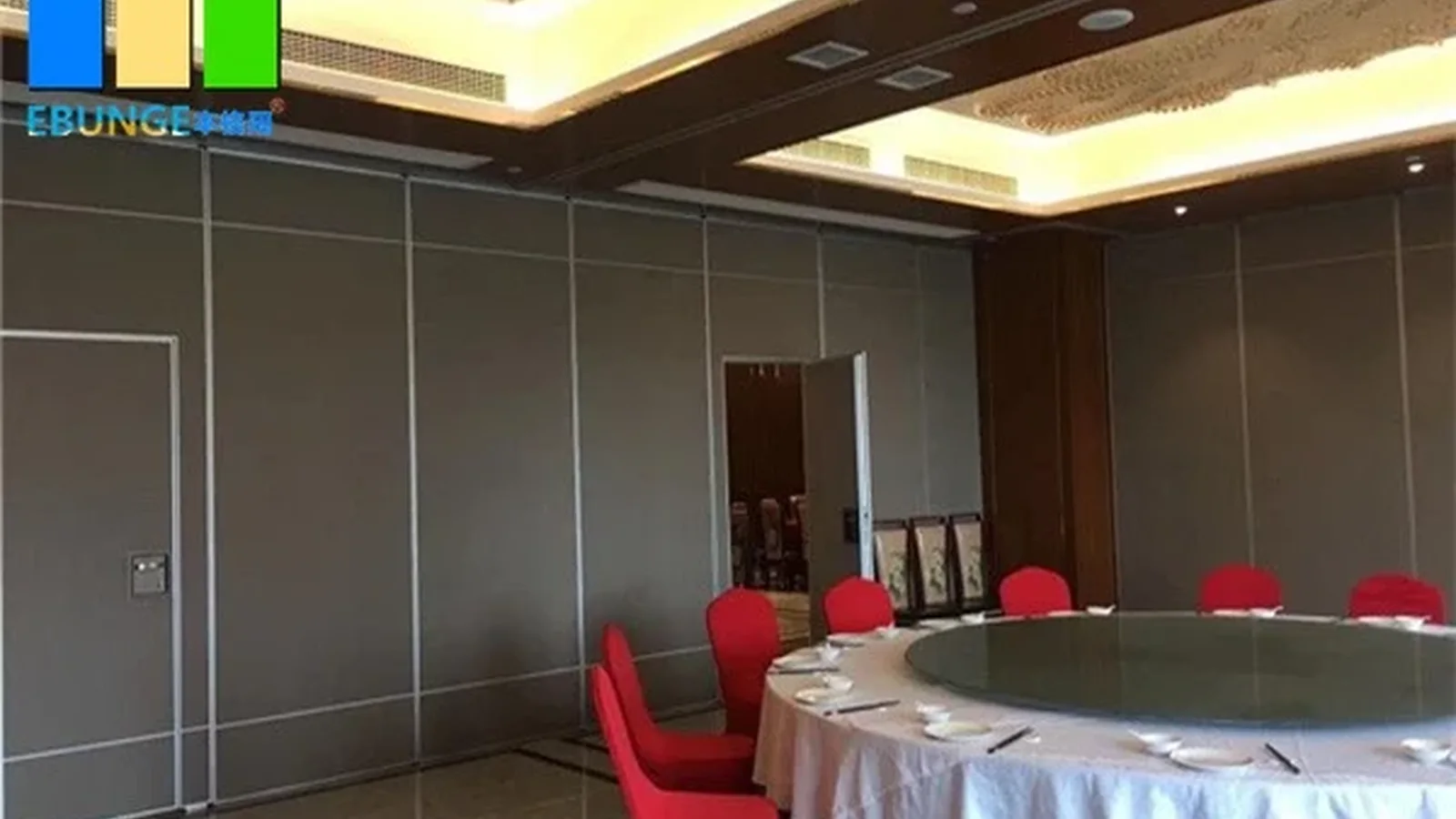
Where can movable partitions be used in a university?
Movable partitions can be used wherever flexible space division, combination or reconfiguration is required. Application examples are not limiting. EBUNGE has completed many types of hotel-related movable-partition projects, and ballrooms, wedding halls and multifunction halls are non-limiting examples.
What must be confirmed before approval?
The exact route, junction arrangement, continuous overhead path and parking position must be confirmed from the coordinated project drawings. Approval should be based on the coordinated set rather than a generic sequence.
Key Coordination Points
The EBUNGE movable partition system is top-hung. The finished floor along the partition line remains physically uninterrupted. Parking style can be customized subject to coordinated drawings. Finish materials can be customized, and care methods vary with the selected finish.
A university movable partition track projector project benefits from early coordination between the overhead path and the ceiling equipment. The top-hung principle keeps the floor continuous. Parking planning and finish care are documented from the coordinated drawings. The exact route, junction arrangement, continuous overhead path and parking position must be confirmed from the coordinated project drawings.
Continue Exploring
More Project Applications Guides
- Newer guideHotel Banquet Partition Ceiling and Sprinkler Coordination
- Earlier guideMovable Partition Track Layout for Restaurant Dining Rooms
- Related guideOffice Glass Partition Selection Guide for Fit-Out Contractors
- Related guideOffice Meeting Suite Partition Tracks Need Clearance at Ceiling-Mounted